

One Library for every coding agent, with evals, usage and sharing built in.
- Free, MIT licensed, for Apple Silicon. Works with
 Claude Code
- Codex
- Cursor
- OpenCode
 DeepSeek
- Pi
Six agents. Six folders. Six copies of the same skill.
Every agent reads its own folder. Fix a skill in one and the other five stay out of date.
Where skills come from
- AdoptedYour agent folders~/.claude/skills, ~/.agents/skills and your projects
- FollowedGit repos and marketplacesPublic ones, your team's, or your own
- InstalledDiscoverSkills reviewed by Kitling, and public ones

Library
on this MacNative files, in each agent's own folder
- Claude Code~/.claude/skills/kitling/
- Codex~/.agents/skills/
- Cursor~/.cursor/skills/
- OpenCode~/.config/opencode/skills/
- DeepSeek~/.dsh/skills/
- Pi~/.pi/agent/skills/
Edit a skill once. Every agent loads it as if you had written it there by hand.
Delivery is where it starts.
Once every agent has the same skills, Kitling helps you make them better, see what they cost, and get them to other people.
Set up in the time it takes to open the app.
- 1
Install Kitling
Download the app and open it. There is nothing to configure.
- 2
It finds what you already have
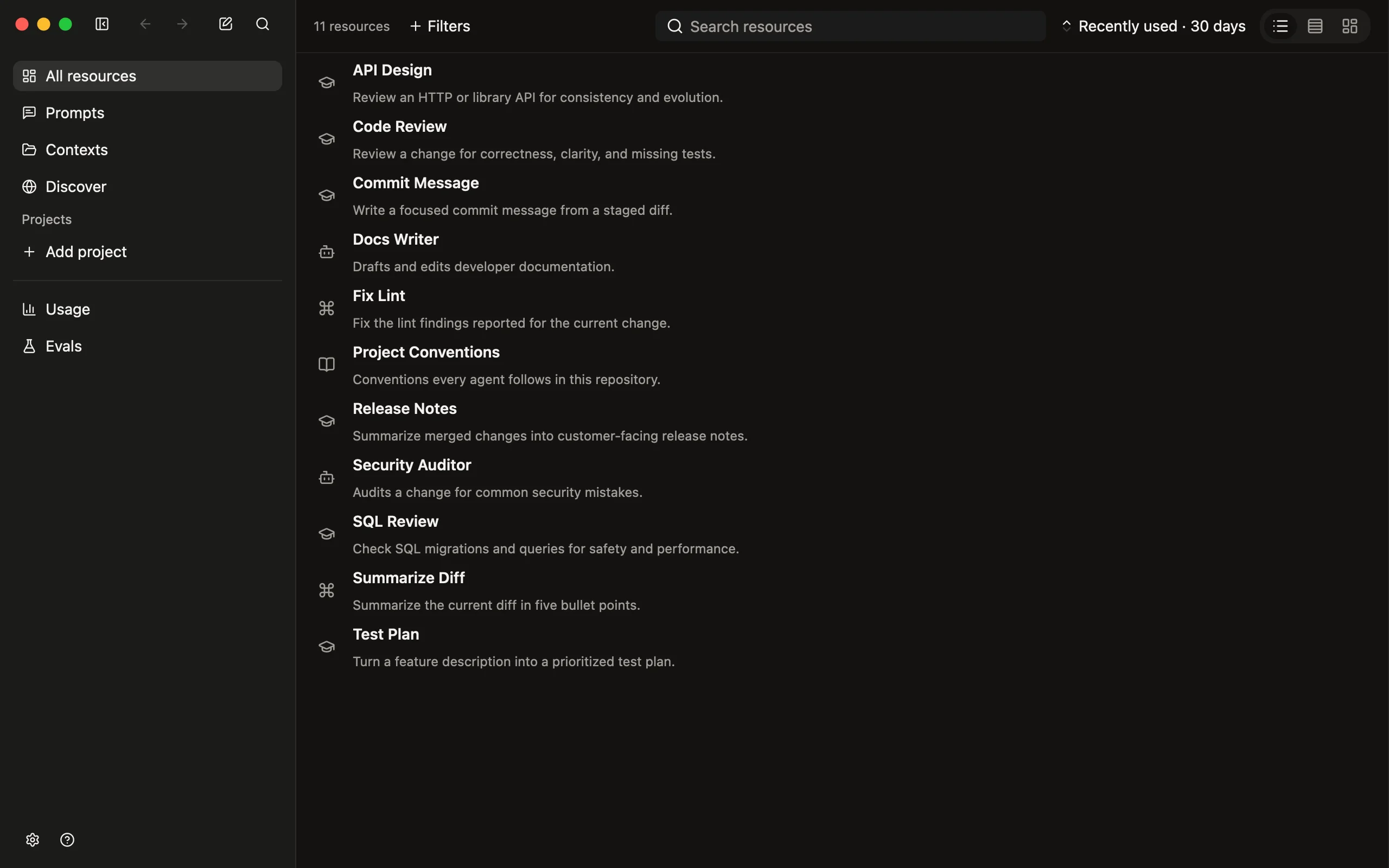
Kitling adopts the skills, subagents and instruction files in your agent folders into one Library, and groups copies that share a name.
- 3
Edit once, use everywhere
Change a skill in the Library and every agent has the new version. Switching tools no longer means rebuilding your setup.
Evals
Know a change made the skill better.
Give a skill a few cases. Kitling runs them in the real agent, scores the skill out of 100, and compares each version with the one before.
- Trigger cases
- Did the skill load when it should, and stay out when it should not?
- Task cases
- Did the agent do the job and leave the right result?
- Regressions
- Called only when the difference is real. Otherwise Kitling says it is too close to call.
- When
- On demand, after each save, or before an update applies.
Usage
See what every skill costs you.
Every listed skill takes up context at the start of every session, used or not. Kitling reads what your agents record about each session, never the conversation itself, and shows you what to trim.
- Idle cost
- The tokens an agent loads at the start of every session, whether the skill is used or not.
- Per-use cost
- The tokens a skill adds each time it is actually used.
- What you can trim
- Skills no session has used, suggested only once there are enough sessions to be sure.
- Keep
- Tell Kitling to stop suggesting a skill you want to hold on to.
Token figures are local estimates, not billing. Usage history stays on this Mac, and works for agents that record what they load.
- Instructions 1,120
- Skill list 2,460
- Agents 540
| Name | Every session | Last used |
|---|---|---|
| Code Review | 96 | Today |
| Commit Message | 64 | 2 days ago |
| SQL ReviewSuggested | 118 | 41 days ago |
| Release NotesSuggested | 142 | Never |
| Docs WriterSuggested | 87 | Never |
Deleting 3 frees up to 347 tokens in every session
MCP and CLI
Let your agents improve their own skills.
The app ships a kitling command and an MCP server. An agent can search your Library, save a new version of a skill, run its eval, and publish the version that scores better.
You choose whether agents may change anything. Every change they make is a version you can undo.
~/work/api ❯ claude
Make the commit-message skill follow conventional commits. Keep it only if it scores better.
- kitling · search commit-message
Found commit-message, version 3, scored 79 - kitling · save commit-message
Saved version 4, not published - kitling · eval_run version 4
12 trials in Claude Code and Codex - kitling · eval_results version 4
88, up from 79. Better - kitling · publish version 4
Every agent now has version 4
Published version 4. You can undo it in Kitling.
Sharing
Share through the repository your team already has.
Kitling is not another place to publish. It writes into an ordinary git marketplace that Claude Code, Codex, Cursor and Pi can install from. You commit and push.
- Follow
- a marketplace someone else maintains. Its updates reach every agent.
- Publish into
- your team's marketplace, or start a new one.
- Export
- one skill as a copy, or your whole Library as one file.
- Planned
- End-to-end encrypted sync between your own devices.
Add Code Review to a marketplace
git push- Claude Code
- Codex
- Cursor
- Pi
Discover
Find skills worth installing.
Start with a small catalog reviewed by people at Kitling, or search 800+ public skills, repositories and marketplaces ranked by installs. Every result shows where it comes from. Scripts and tool permissions stay off until you allow them.
The whole tour, in 25 seconds.
The Library, a skill, Evals and Discover, in one pass.
Your files stay yours.
Trying Kitling should cost you nothing, including the option to leave.
- Every version kept
- Kitling never silently overwrites a file. Any edit or update can be undone.
- Ordinary files
- Skills are plain files in each agent's own folder. They keep working if you remove Kitling.
- On your Mac
- The Library lives on your device. No account, and everything works offline.
- Open source
- MIT licensed. Read the code, build it yourself, or contribute.
Questions before you install
Will Kitling overwrite my CLAUDE.md, AGENTS.md or existing skills?
No. Kitling never silently overwrites your files. It adopts what you already have, keeps every version, and any change can be undone.
What happens if I stop using Kitling?
Your skills keep working. They are ordinary files in each agent's own folders, so nothing depends on Kitling being installed.
I already use plugins and marketplaces. Do I have to move them?
No. When a plugin already reaches an agent, Kitling shows it there and delivers it only to the other agents. It never installs a second copy next to the original.
Do I need an account or git?
No. Install Kitling, see your skills in every agent, edit them and undo. Git and marketplaces only appear if you choose to share.
Does it translate my model, permission or hook settings?
No. Kitling delivers skills, subagents, commands and instructions. Settings that run code or grant access stay with the agent they belong to.
Does every skill work the same in every agent?
Not always, and Kitling says so. Before anything is installed, each resource is marked for each agent: exact, mapped to that agent's format, carried over with something lost, or not supported.
Is there a Windows or Linux version?
Not yet. Kitling runs on Macs with Apple Silicon today. Watch the GitHub repository to hear when that changes.
Write a skill once. Use it in every agent.
Open Kitling once and the skills you already have are in every agent you use.
Free and MIT licensed · No account · Works offline · Apple Silicon